Using the LabVIEW Dashboard with C++/Java Code
The default LabVIEW Dashboard utilizes Network Tables to pass values and is therefore compatible with C++ and Java robot programs. This article covers the keys and value ranges to use to work with the Dashboard.
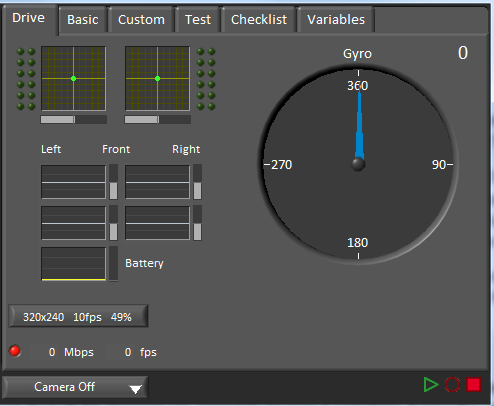
Basic Tab
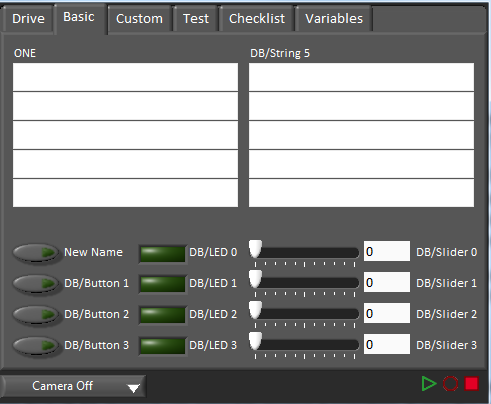
The Basic tab uses a number of keys in the a “DB” sub-table to send/receive Dashboard data. The LED’s are output only, the other fields are all bi-directional (send or receive).
Labels
The labels are currently sent as an array. C++ and Java SmartDashboard classes do not currently support sending arrays.
Strings
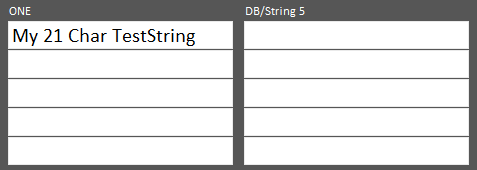
The strings are labeled top-to-bottom, left-to-right from “DB/String 0” to “DB/String 9”. Each String field can display at least 21 characters (exact number depends on what characters). To write to these strings:
SmartDashboard.putString("DB/String 0", "My 21 Char TestString");
SmartDashboard::PutString("DB/String 0", "My 21 Char TestString");
To read string data entered on the Dashboard:
String dashData = SmartDashboard.getString("DB/String 0", "myDefaultData");
std::string dashData = SmartDashboard::GetString("DB/String 0", "myDefaultData");
Buttons and LEDs
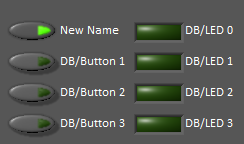
The Buttons and LEDs are boolean values and are labeled top-to-bottom from “DB/Button 0” to “DB/Button 3” and “DB/LED 0” to “DB/LED 3”. The Buttons are bi-directional, the LEDs are only able to be written from the Robot and read on the Dashboard. To write to the Buttons or LEDs:
SmartDashboard.putBoolean("DB/Button 0", true);
SmartDashboard::PutBoolean("DB/Button 0", true);
To read from the Buttons: (default value is false)
boolean buttonValue = SmartDashboard.getBoolean("DB/Button 0", false);
bool buttonValue = SmartDashboard::GetBoolean("DB/Button 0", false);
Sliders
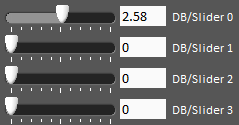
The Sliders are bi-directional analog (double) controls/indicators with a range from 0 to 5. To write to these indicators:
SmartDashboard.putNumber("DB/Slider 0", 2.58);
SmartDashboard::PutNumber("DB/Slider 0", 2.58);
To read values from the Dashboard into the robot program: (default value of 0.0)
double dashData = SmartDashboard.getNumber("DB/Slider 0", 0.0);
double dashData = SmartDashboard::GetNumber("DB/Slider 0", 0.0);